Luke Dev Notes

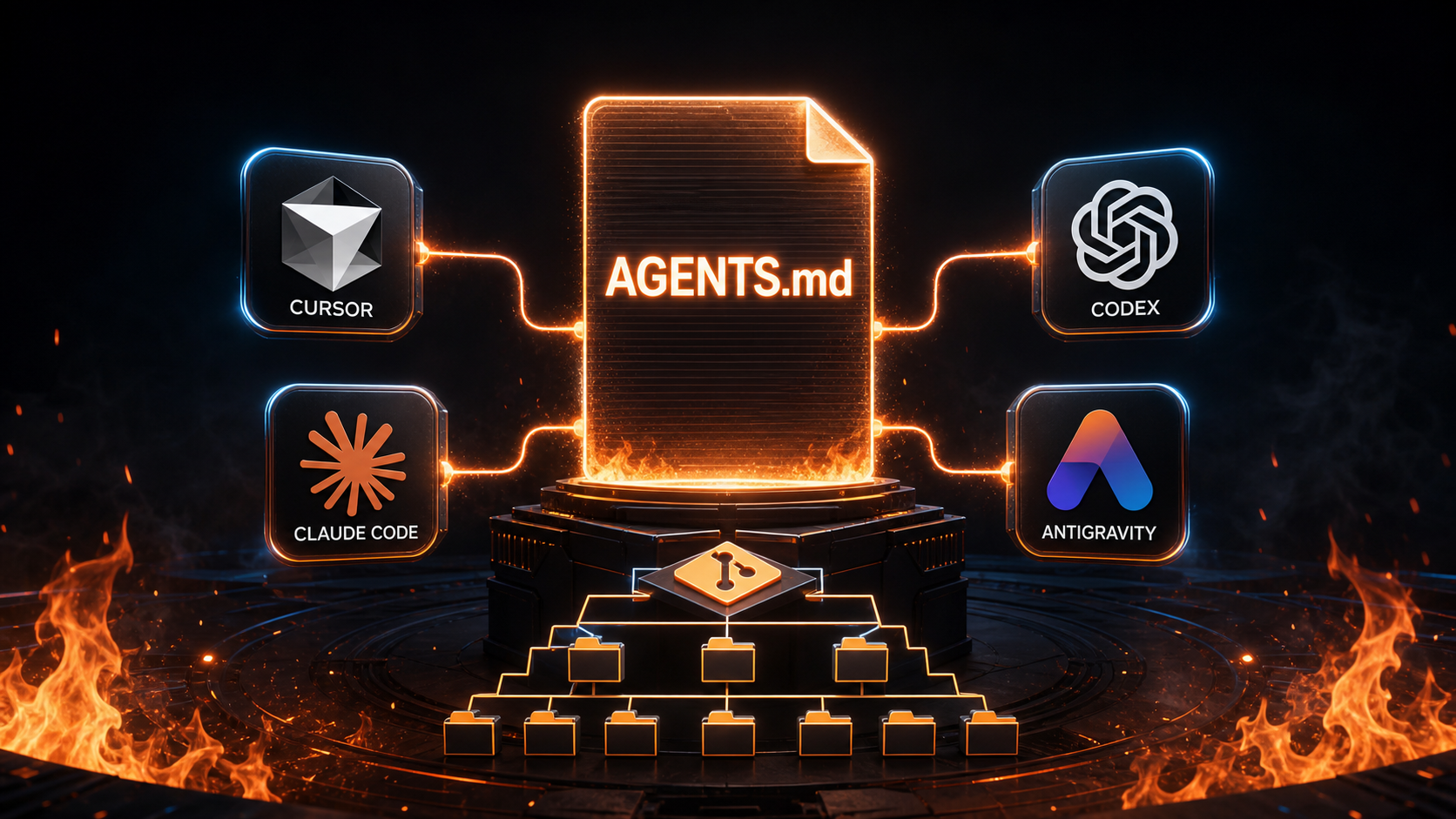
One AGENTS.md for Multiple AI Coding Agents (Part 1)
AI coding tools will keep arriving. Once Cursor, Claude Code, Codex, and Antigravity each bring a rule file into a repo, the rules often start saying different things after a few months. I now treat the repo as the stable entry point: shared rules live in AGENTS.md, complete task workflows live in .skills/, and tool-specific files only handle discovery or scoped loading. Tools can change while the material the team maintains stays in the repo.Update (2026-08-24): This article now reflects this repo's native skill-discovery adapters. Continue to Part 2 for the implementation details and the Antigravity and Cursor workflows.1. How Four Tools Connect to the Same Repo Rules The entry point differs by tool, but the principle is the same: keep durable, cross-tool guidance in the repo and let tool-specific configuration handle only how it is loaded. Codex: AGENTS.md Is an Instruction Chain Codex reads AGENTS.md before it works. It walks from the project root to the current working directory and layers instructions along the way. A nearer AGENTS.md or AGENTS.override.md appears later in the chain, so it can refine the more general rules above it. This is a good place for repo-wide information:project structure and common commands build, type-check, and test expectations commit and review requirements the canonical source for shared skillsIf src/content/posts/ needs a local constraint, that directory can carry nearer instructions. The root AGENTS.md still gives every agent the same starting point when it enters the repo. Claude Code: Import the Same Instructions From CLAUDE.md Claude Code uses CLAUDE.md as its default entry point. Since the shared repo rules already live in AGENTS.md, CLAUDE.md only needs the official import syntax: @AGENTS.mdThis file only imports the instructions. Changes to commands, verification, or git workflow happen in AGENTS.md, and Claude Code receives the same version. Antigravity: Put Shared Rules Into an Executable Task Context Antigravity is useful for a full task that crosses the editor, terminal, and browser. In this repo, I start a task by asking the agent to read AGENTS.md, then use the skills index to open the matching .skills/<name>/SKILL.md. For an article update, the task can be as bounded as this: Update the Chinese and English posts. Read AGENTS.md and the matching skill first, then run skills:check, npm run check, and npm run build.The agent can then edit, run commands, and launch a preview. I review the resulting plan, screenshots, or browser recordings before deciding on another round. This is an execution-layer convention; the repo still has one copy of the workflow in .skills/. Cursor: Use AGENTS.md for Shared Rules and .cursor/rules for Path Triggers Cursor can use root AGENTS.md as straightforward project instructions. That covers rules that apply across the repo. Add .cursor/rules/*.mdc only when a rule should load for a specific path. For example, a rule can attach the writing workflow when a post is opened or edited: --- description: Apply the blog writing workflow globs: src/content/posts/**/*.md alwaysApply: false ---Read and follow `.skills/tech-blog-polish/SKILL.md` before editing this post.This adapter answers when to load the workflow. It does not copy the article structure or tone rules. Cursor keeps its file-path behavior while the workflow remains in one place. 2. A Minimal Shared Strategy for the Repo I separate rules into three layers: AGENTS.md holds stable instructions, .skills/ holds complete task workflows, and tool folders hold generated or path-scoped adapters. Each file has one responsibility, and a review can quickly tell where a rule belongs. Luke-Tech-Blog/ ├── AGENTS.md # project instructions ├── CLAUDE.md # imports AGENTS.md ├── .skills/ # complete, canonical workflows ├── .claude/skills/ # generated native-discovery adapters ├── .agents/skills/ # generated native-discovery adapters └── .cursor/rules/ # optional file-path triggersKeep AGENTS.md short and stable: ## Repository Expectations- Keep the complete workflow only in `.skills/<skill-name>/SKILL.md`. - `.claude/skills/` and `.agents/skills/` are generated native-discovery adapters. - Run `npm run skills:sync` after changing skill frontmatter.Put the details that evolve repeatedly in .skills/: the reader profile, structure, and voice for article polishing, or the check sequence and commit rules for git review. When Claude Code and Codex need native discovery, generate and check the adapters: npm run skills:sync npm run skills:checkThe first command updates generated files; the second only verifies their state. Drift becomes a clear failure that can be caught before a commit or in CI.A shared rule set lasts when every tool carries only the entry point it needs.Conclusion: Converge the Rules, Then Use Each Tool Well The four tools have different strengths. Codex and Claude Code connect directly to shared instructions. Antigravity can execute a longer task and leave inspectable artifacts. Cursor can attach rules automatically by file path. Once AGENTS.md and .skills/ are established as the single sources of truth, additional tool integrations stop becoming a document-copying project. The next post returns to this blog repo and shows the native discovery adapters for Claude Code and Codex, plus the Antigravity and Cursor workflows that use the same source.One AGENTS.md for Multiple AI Coding Agents (Part 2)ReferencesOpenAI Codex: Custom instructions with AGENTS.md Claude Code: How Claude remembers your project Cursor: Rules Google Antigravity: agentic development platform
Read More One AGENTS.md for Multiple AI Coding Agents (Part 2)
In the previous post, I summarized the common direction from the official docs: AGENTS.md can be the shared project instruction entry point for a repo. This post shows how I made Claude Code and Codex discover the same skills natively.One AGENTS.md for Multiple AI Coding Agents (Part 1)Update (2026-08-24): This repo now includes commit-ready native discovery adapters. .skills/ remains the only full workflow source; .claude/skills/ and .agents/skills/ contain generated entry files only.The goal is direct:maintain project instructions in one place maintain task workflows in one place keep tool-specific files as adapters check shared team rules into gitWith this shape, switching tools does not mean rewriting the repo rules. I split the implementation into two parts: native discovery for Claude Code and Codex, then practical ways for Antigravity and Cursor to use the same repo rules. 1. Claude Code and Codex: One Workflow, Native Entry Points AGENTS.md already lets an agent find .skills/. Native discovery makes the handoff smoother: when a tool scans its own skills directory, it can identify the matching workflow without a reminder in every prompt. The finished structure looks like this: Luke-Tech-Blog/ ├── AGENTS.md ├── CLAUDE.md ├── .skills/ │ ├── README.md │ ├── tech-blog-polish/ │ │ └── SKILL.md │ ├── git-change-commit-review/ │ │ └── SKILL.md │ └── linkedin-blog-promo/ │ └── SKILL.md ├── .claude/ │ └── skills/ │ ├── tech-blog-polish/ │ │ └── SKILL.md │ ├── git-change-commit-review/ │ │ └── SKILL.md │ └── linkedin-blog-promo/ │ └── SKILL.md ├── .agents/ │ └── skills/ │ ├── tech-blog-polish/ │ │ └── SKILL.md │ ├── git-change-commit-review/ │ │ └── SKILL.md │ └── linkedin-blog-promo/ │ └── SKILL.md └── scripts/ └── sync-skills.mjsAGENTS.md remains the project-instruction entry point for commands, verification, project structure, and git workflow. CLAUDE.md still imports it with one line: @AGENTS.mdThe full task workflow lives in .skills/<skill-name>/SKILL.md. The matching files in the two tool directories are adapters, so Claude Code and Codex can find that same workflow through their native discovery paths. Write the Full Workflow Once The adapter is deliberately short. For tech-blog-polish, the generated file contains its frontmatter plus a pointer to the canonical source: --- name: tech-blog-polish description: Polish technical blog articles for this project... ---# Canonical SkillThe complete workflow is in `.skills/tech-blog-polish/SKILL.md`. Read that file first.This avoids copying the complete article-polish and git-review rules three times. Every update happens in .skills/<skill-name>/SKILL.md. AGENTS.md makes the division of responsibility explicit: Keep the complete workflow only in `.skills/<skill-name>/SKILL.md`. `.claude/skills/` and `.agents/skills/` are generated native-discovery adapters..skills/ is the only source of full workflows. Native adapters only help tools find it.Generate Adapters and Check for Drift Windows symlinks can still vary by permissions and developer setup. This repo uses a small Node.js script, scripts/sync-skills.mjs, instead of depending on symlinks. The script reads each .skills/ subdirectory, confirms that SKILL.md has name and description frontmatter, then writes a small adapter to both native discovery locations: .skills/<name>/SKILL.md ├─> .claude/skills/<name>/SKILL.md └─> .agents/skills/<name>/SKILL.mdRun this after editing a canonical skill: npm run skills:syncUse this before a commit or in CI: npm run skills:check--check writes nothing. If an adapter is stale, it lists the files that need synchronizing and exits with an error. A forgotten sync step is now a reproducible failure instead of a quiet documentation mismatch. 2. Supplement: How Antigravity and Cursor Fit In These tools do not need another copy of a skill. They fill different layers of the workflow: Antigravity runs a task across the editor, terminal, and browser; Cursor attaches rules at the moment a particular file path matters. Antigravity: Start at AGENTS.md, Then Hand the Whole Task to an Agent When I open this repo in Antigravity, I start by having the agent read the root AGENTS.md. Its skills index points to .skills/, and the agent reads the matching canonical SKILL.md when a task calls for it. Project instructions, task workflow, and tool execution stay in separate, understandable places. For an article update, I can give the agent a bounded instruction such as: Update the Chinese and English Part 2 posts. Read AGENTS.md and the matching skill first, then run skills:check, npm run check, and npm run build.Antigravity's Manager Surface is a natural fit for a longer task that needs edits, terminal commands, and a preview. I review the plan, screenshots, or browser recordings it produces before deciding on another round of changes. The repo does not need a separate copy of .skills/ for that flow. Cursor: Reserve .cursor/rules for File-Path Triggers Cursor can also read root AGENTS.md, so repo-wide rules still have one source. I add a short adapter in .cursor/rules/ only when a rule should load because of a file path. For example, when a blog post is opened or edited, Cursor can attach the writing workflow: --- description: Apply the blog writing workflow globs: src/content/posts/**/*.md alwaysApply: false ---Read and follow `.skills/tech-blog-polish/SKILL.md` before editing this post.English posts can use the same pattern with globs targeting src/content/posts-en/**/*.md. The .mdc file only decides when to load the workflow. Its structure, tone, and acceptance details still live in .skills/tech-blog-polish/SKILL.md. With that split, Cursor's auto-attached rules answer when to load a workflow, Antigravity's agent task handles the end-to-end execution, and Claude Code and Codex use native adapters to discover the skill. All four tools return to the same workflow source. Conclusion: Let Tools Find Rules Without Duplicating Them AI coding tools will keep changing, and so will their discovery directories. Copying full workflows into each tool folder creates maintenance work that compounds over time. This repo keeps the complete content in .skills/, generates native adapters for Claude Code and Codex, and uses skills:check to protect that relationship. Adding another tool now means adding one thin adapter, not moving a whole workflow.Native discovery can vary by tool. A shared workflow should have one source.ReferencesOpenAI Codex: Agent Skills Anthropic: Agent Skills Cursor: Rules Google Antigravity: agentic development platform
Read More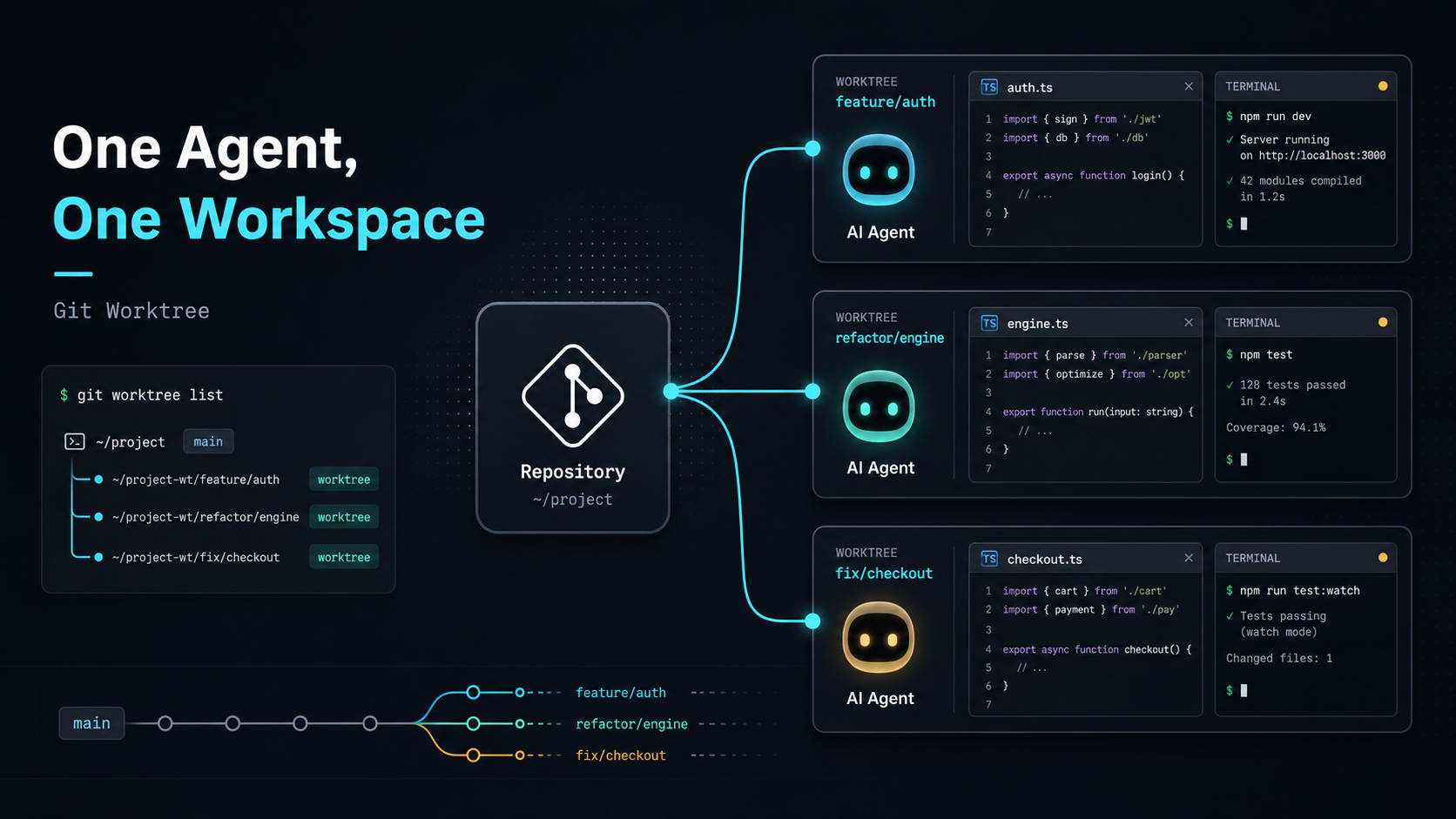
Using AI Coding Agents Well (Part 1): When Branches Are Not Enough for Multi-Agent Work
AI Coding Agents are no longer just tools that help fill in a few lines of code. I personally pay for several AI coding tools, including Cursor, Anthropic Claude Code, and OpenAI Codex. Their interfaces are different, but their capabilities are moving in a similar direction: they can read a project, edit files, run tests, fix errors, and spend time completing a task that has a clear goal. That changed how I use them. I used to keep AI inside the IDE, like an assistant I could call whenever I needed help. Later, I started treating an Agent more like someone who could take a task and work on it for a while. That shift sounds small, but it changes the whole workflow.Once an Agent can work for a long time, we have to manage more than instructions. We also have to manage which copy of the project files it is using.This is Part 1 of my “Using AI Coding Agents Well” series. I want to start with a real problem I ran into: once I began letting an Agent run longer tasks, my old habit of switching Git branches quickly stopped being enough. Starting With Local Edits My first way of working with AI was probably similar to many developers: select a piece of code in the IDE, then ask AI to change that specific part. For example:refactor this function add TypeScript types explain this logic change this API call to another style add testsThis workflow is natural and useful. The unit of work is small, so the risk is easy to control. After AI makes the change, I check the diff, accept it if it looks good, or reject it if it does not. At this stage, the workflow is simple: I know exactly what needs to change, and AI handles that small piece for me. It works like an accelerator for the task already in my hands. When a task only takes a few minutes, this is enough. I still understand the current state of the project, which files changed, and whether I want to keep the result. Long-Running Tasks Changed the Problem Later, while doing Prompt Engineering work, I found a type of task that fits Agents especially well: long-running evaluation. For example:running a batch of prompt evaluation cases comparing outputs from different prompt versions adjusting evaluator or LLM-as-a-judge logic changing prompts based on test results organizing traces or evaluation reportsThese tasks usually do not end after one small edit. The Agent has to read the project, run commands, inspect results, change files, and verify again. A task may grow from a few minutes to half an hour or longer. The problem appears while waiting. If one Agent is running prompt evaluation, I may still want to keep building a new feature, or ask another Agent to fix a bug. My thought at the time was straightforward:Can I let one Agent handle a long-running task in the background while I keep developing on another branch?The obvious answer was to create a new branch. Branches Look Like the Right Tool That is what I tried first. Suppose I have one main project folder: luke-tech-blog/I can create a branch for the long-running task: git checkout -b agent/prompt-evalThen I let the Agent run prompt evaluation on that branch. If you are not familiar with Git, think of a branch as a different path for the same project. One path is for prompt evaluation, another path is for a new feature. That sounds reasonable. Next, I wanted to continue building a new search page: git checkout -b feature/search-pageThat was when the issue became obvious. One project folder can only show the files from one branch at a time. When I switch from agent/prompt-eval to feature/search-page, the files in that folder also switch to another version. That means the Agent running the long task suddenly sees a different set of project files. For a human, this is easy to understand: I just switched branches, so the files changed. For the Agent that is still working, it only sees that the files in its folder suddenly changed. The content it just read, the tests it just ran, and the file it was about to modify may no longer match the new state. Imagine two people sharing the same desk. Agent A is organizing one report. I suddenly replace every document on the desk with documents from another project. Agent A is still sitting there, but the things in front of it have changed.Branches can separate different project paths, but they do not give each Agent its own desk.The Real Problem Is Workspace Separation That experience changed how I understood the problem. The structure I needed was:one project different branches different folders all folders can exist at the same time switching one folder does not affect another AgentIdeally, the project should look like this: luke-tech-blog/ mainluke-tech-blog.prompt-eval/ agent/prompt-evalluke-tech-blog.search-page/ feature/search-pageThen I can assign tasks to different folders: Agent A -> luke-tech-blog.prompt-eval Agent B -> luke-tech-blog.search-pageEach Agent has its own branch and its own folder. The long-running task will not be interrupted when I switch branches elsewhere, and different Agents will not mix their changes in the same place. This is the first practical constraint of multi-Agent collaboration: if tasks can run in parallel, workspaces also need to run in parallel. In the next post, I will introduce the solution I moved to: Git worktree. It lets the same project open different branches in different folders, giving each Agent its own desk. ConclusionOnce an Agent starts handling long-running tasks, each Agent needs a working folder that will not suddenly be replaced by someone else.Using AI Coding Agents Well (Part 2): Give Each Agent Its Own Workspace With Git Worktree
Read More Using AI Coding Agents Well (Part 2): Give Each Agent Its Own Workspace With Git Worktree
In the previous post, I described why branches alone did not solve my multi-Agent workflow. A single working directory keeps everyone tied to the same checkout state.Using AI Coding Agents Well (Part 1): When Branches Are Not Enough for Multi-Agent WorkWhen an Agent is running a long task on one branch, switching the same folder to another branch also changes the files that Agent sees. Its context, test results, and next edits can stop matching the current file state. The solution I moved to was Git worktree. It gives me the structure I actually needed:One repo can open different branches in different folders at the same time.Worktree separates a branch from the single checkout state, so each Agent has its own file workspace.The Worktree Model Git worktree lets one Git repository have multiple working trees. In practice, it lets different branches live in different working directories. It does not clone the repository again. The worktrees still share the same Git object database, while each worktree keeps its own file directory and checkout state. Here is the plain model: project/ mainproject.prompt-eval/ agent/prompt-evalproject.search-page/ feature/search-pageEach folder has its own checkout state. If you edit files in project.search-page, you are not changing the working directory of project.prompt-eval. There is still a cost. Each worktree has real files on disk, so space complexity is roughly O(s), where s is the expanded size of the working tree. Because it shares the Git object database, it is usually lighter than a full clone, but node_modules, build cache, .env, and generated outputs still need to be managed per worktree. Creating or switching a worktree is mostly bounded by the cost of checking out files, roughly O(n), where n is the number of files written to the working directory. In exchange, you get a stable isolation boundary: a long-running Agent task will not be interrupted by another branch checkout. Create an Agent Workspace Assume I am in the main project folder: cd luke-tech-blogTo create a new branch and a new working directory for prompt evaluation, I can run: git worktree add ../luke-tech-blog.prompt-eval -b agent/prompt-evalThis command does two things:Creates a new branch: agent/prompt-eval Creates a new working directory: ../luke-tech-blog.prompt-evalThen I can enter that folder: cd ../luke-tech-blog.prompt-evalFrom that point on, this folder is the workspace for the agent/prompt-eval branch. The original luke-tech-blog folder can stay on main or another branch, without affecting this task. If the branch already exists and I only want to create a working directory for it, I can run: git worktree add ../luke-tech-blog.search-page feature/search-pageThis checks out feature/search-page into ../luke-tech-blog.search-page. Now another Agent can work inside that folder. Manage Worktrees To see which worktrees are currently connected to the repository: git worktree listThe output may look like this: /Users/luke/projects/luke-tech-blog abc1234 [main] /Users/luke/projects/luke-tech-blog.prompt-eval def5678 [agent/prompt-eval] /Users/luke/projects/luke-tech-blog.search-page 789abcd [feature/search-page]After the task is done and the branch is merged, remove the worktree: git worktree remove ../luke-tech-blog.prompt-evalIf you manually delete the folder, Git may still keep a stale worktree record. Clean it up with: git worktree pruneCommand RecapFor daily use, remember three commands first: git worktree add, git worktree list, and git worktree remove.My Multi-Agent Assignment Pattern After adopting Git worktree, my multi-Agent workflow looks like this: git worktree add ../project.prompt-eval -b agent/prompt-eval git worktree add ../project.search-page -b agent/search-page git worktree add ../project.refactor-card -b agent/refactor-cardThen I make the task boundary explicit: You are working in ../project.prompt-eval. Focus on the prompt evaluation task. Do not change UI, deployment config, or unrelated data structures. When finished, report changed files, test results, and risks.Another Agent might get: You are working in ../project.search-page. Implement the frontend search page. Do not modify prompt evaluation files. When finished, run the build and summarize the main diff.The repeatable workflow is:one Agent maps to one clear task one task maps to one branch one branch maps to one worktree each worktree has its own file stateThis lowers review cost. Each worktree ends with one focused diff, and an engineer can use the normal Git workflow to inspect changes, run tests, and decide merge order. The Pain It Solves Git worktree directly solves the problem of shared working-directory state. In a single folder, switching branches changes the whole working directory. You, Agent A, and Agent B are all sharing the same file workspace. If one party switches branches, the others are affected. With worktree, each Agent has its own desk: project/ mainproject.prompt-eval/ agent/prompt-evalproject.search-page/ agent/search-pageproject.refactor-card/ agent/refactor-cardThis gives several practical benefits:long-running tasks are not interrupted when you switch branches elsewhere changes from different Agents do not mix in the same working directory each task produces a cleaner diff for review you can keep a clean main workspace multiple Agents can actually work in parallelWorkflow TakeawayWorktree gives each Agent a stable file workspace while the task is running, even though final merges can still conflict.Humans Coordinate the Boundaries As AI Coding Agents become more capable, the human role moves closer to coordination. I now spend more time on:defining task boundaries choosing which work belongs to an Agent assigning worktrees limiting the allowed edit scope asking the Agent to verify its work reviewing diffs deciding what can be mergedGit worktree helps here because it provides the isolation boundary that the engineering workflow needs. Multiple Agents can work at the same time, while humans keep control over review, verification, and integration. Practical Notes There are a few details to watch for. First, the same branch usually cannot be checked out by two worktrees at the same time. Git does this to prevent the same line of work from being modified in two places. Second, avoid placing worktrees inside the original repo folder. Some tools may search, format, test, or watch those nested worktrees by accident. I prefer a structure like this: projects/ luke-tech-blog/ luke-tech-blog.prompt-eval/ luke-tech-blog.search-page/ luke-tech-blog.refactor-card/Third, each worktree may need its own dependencies. Even if the worktrees share Git objects, files like node_modules, build cache, .env, and generated outputs still need separate handling. Here is a practical tip: if your project uses pnpm (which works wonderfully with Astro projects), its unique global hard-link store design makes running pnpm install in each worktree instantaneous while taking almost zero extra disk space. This completely solves the disk bloating and slow package installation pain points typical of multi-worktree setups. Furthermore, to avoid cluttering your desktop with multiple Cursor or VS Code windows, you can leverage VS Code's Multi-root Workspace feature. Create a simple .code-workspace file in your root and declare your main project folder alongside active worktree folders: { "folders": [ { "path": "luke-tech-blog" }, { "path": "../luke-tech-blog.prompt-eval" }, { "path": "../luke-tech-blog.search-page" } ] }This lets you view and manage files across different isolated workspaces from the sidebar of a single Cursor window, making diff reviews and task coordination extremely convenient. Fourth, worktree isolates workspace state. It does not eliminate merge conflicts. If two Agents edit the same core file, the final merge can still conflict. Worktree prevents them from stepping on each other during execution, but humans still need to design task boundaries first. I prefer assigning these tasks to separate worktrees:long-running evaluation tasks different feature work bug fixes documentation updates test coverage improvements UI and backend work that can be clearly separated small refactors with clear scopeI avoid parallelizing these tasks across multiple Agents:multiple Agents refactoring the same core abstraction multiple Agents changing a shared schema multiple Agents changing global config vague tasks like “optimize the whole project”Conclusion When an AI Coding Agent only edits a small piece of code, one IDE and one working directory are usually enough. Once Agents start running long tasks, or multiple Agents work on different features at the same time, workspace management becomes the first engineering gap to close. Git worktree provides a practical base. Each Agent gets its own branch and folder. Different tasks are isolated at the file level. Humans define tasks, inspect results, and integrate changes. Final TakeawayThe first step toward using AI Coding Agents well is giving each long-running task a stable, verifiable, and disposable workspace.
Read More
PostgreSQL Optimization (Part 1): LIKE vs Regex, which is actually faster?
This post comes from a real performance issue I hit at work. I took a few wrong turns before I understood what was actually slow. This is Part 1: LIKE vs Regex and the I/O vs CPU story. The next two parts go deeper:Part 2: Reading EXPLAIN to see where Seq Scan hides Part 3: Turning tags into an index with Array + GINPart 1: LIKE vs Regex in plain language 1. The setup I inherited ETL-shaped data where many tags were packed into one text field, separated by ;: tag1;tag2;tag3;tag_VIP;tag_inactive So I did the obvious thing: filter with many LIKE conditions. 2. One comment that hit the real issue A senior teammate said:“Merge those LIKE clauses into one Regex. It should run faster.”My first reaction: “If there is no useful index, don’t both approaches still read a lot of rows?” 3. We were not disagreeing, just entering from different angles We were solving the same problem, but from different starting points: I focused on read cost first, while my teammate focused on compute cost first.My focus: I/O costWithout an index, the database often still scans a large part of the table. Teammate’s focus: CPU costMany LIKEs can repeat string checks on the same row.One Regex often reduces that repeated per-row work.A simple analogy:Many LIKEs = reading the same page many times, each time looking for one word. One Regex = reading the page once and checking many words in that pass.4. What I want to pass on If your dataset is small, Regex alone may already feel much better.At larger scale, syntax tweaks are not enough. You need to change how the database reaches the data. ConclusionRegex can reduce CPU work, but if the query still scans most rows, I/O remains the real bottleneck.Part 2 dissects LIKE and Regex with EXPLAIN ANALYZE; Part 3 builds the Array + GIN solution:PostgreSQL Optimization (Part 2): Reading EXPLAIN to see where Seq Scan hides PostgreSQL Optimization (Part 3): Turning tags into an index with Array + GIN
Read More
Want to know more about my technical background?
See About for my background, strengths, and working style.
About me